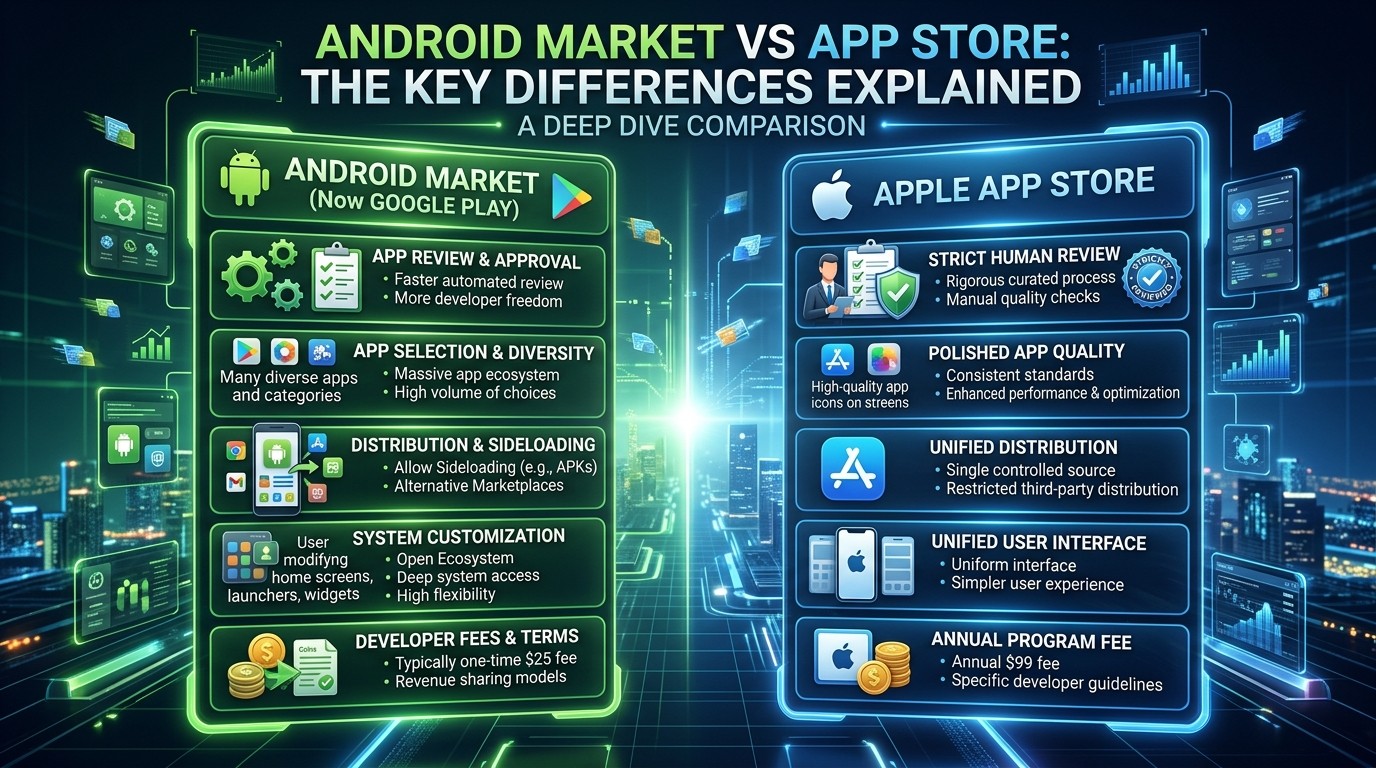
Android Market vs App Store helps teams compare discovery, review, monetization, and launch rules so they can choose the right platform strategy with less guesswork.
This guide uses Android Market vs App Store as shorthand for Google Play on Android and the Apple App Store, because those are the current places where most app discovery, review, and growth work happens. Google describes Google Play as a global digital content store with broad reach, while Apple says App Store Connect analytics help you understand how people discover and interact with your app or game. That makes the comparison useful for developers, marketers, and publishers who need a practical view rather than a brand slogan.
The real value of Android Market vs App Store shows up when a team stops thinking only about download stores and starts thinking about systems. In practice, this comparison becomes the lens that connects launch planning, policy, and measurement. Discovery, policy, reviews, monetization, and analytics all influence what gets built and how it is launched. That is why this article is written as an operational guide: it explains the differences that actually change strategy, not just the labels on the app icon.
What the comparison really means today
At a practical level, Android Market vs App Store is a comparison between Google Play and the Apple App Store, not a comparison between two identical systems with different logos. Google Play is described by Google as a global digital content store, while Apple says the App Store is supported by App Store Connect tools for measuring app performance. So the first difference is not only where apps live, but how each ecosystem organizes discovery, release, and growth. Another reason Android Market vs App Store matters is that the same store signal can mean something slightly different depending on audience, category, and release stage.
That is why teams doing Android Market vs App Store should think about platform behavior before they think about creative assets. One store may emphasize search and browsing flow, while the other may emphasize analytics, review, or release management in a different way. When you understand the systems behind each store, it becomes much easier to decide where to spend effort first.
Discovery and search behavior

Discoverability is one of the biggest reasons Android Market vs App Store matters to marketers and product teams. Apple says App Store search performance can be monitored through App Analytics, including impressions, conversion rate, and downloads, which shows how metadata influences discovery. Google Play also gives developers search and listing tools through Play Console and link formats that point people directly to products, search results, and collections.
In Android Market vs App Store, the discovery problem is not just about visibility; it is about the way each store channels attention into action. Apple’s guidance centers on search performance and conversion, while Google Play’s ecosystem includes links, collections, and browsing surfaces that can move people toward install decisions. That means the same game may need slightly different store-page logic on each side.
Review systems and approval flow
Review flow is where Android Market vs App Store becomes more than a marketing topic. Apple says it reviews all apps, updates, bundles, in-app purchases, and in-app events submitted to App Store Connect in order to provide a safe and trusted experience. Google Play also requires developers to prepare app content and comply with policy review before release, so approval is a real operational step on both sides.
For teams evaluating Android Market vs App Store, the important point is that each store creates a different approval rhythm. Apple’s process is tied closely to App Store Review Guidelines, while Google’s process is tied to Play Console policy, app content, and developer distribution requirements. That difference affects timelines, launch planning, and how much rework a team may need before going live.
Analytics and market research
If your work involves App Market Research, the contrast between the two ecosystems becomes especially useful. Apple says App Store Connect Analytics brings acquisition, engagement, monetization, retention, and quality metrics together in one interactive dashboard, while Google Play Console statistics let developers query, explore, compare, and benchmark metrics against peer groups. That combination makes the comparison especially valuable for teams trying to connect user behavior with business outcomes.
A strong Android Market vs App Store workflow looks for the link between store signals and product decisions. Search impressions, product page views, conversion rate, ratings, reviews, retention, and monetization all tell parts of the same story, but each store exposes them in slightly different ways. The best teams do not choose metrics randomly; they choose the ones that explain a real decision they need to make next.
Monetization and commerce
Monetization is another place where Android Market vs App Store matters because each platform exposes different commercial tools. Google Play describes itself as a place to release, monetize, and grow apps and games, and it highlights Play Billing, subscriptions, paid apps, and Play Pass as part of its commerce stack. Apple also provides monetization and financial reporting through App Store Connect, including sales and financial reports.
For studios studying Android Market vs App Store, the real lesson is that monetization is not isolated from discovery or trust. A strong listing still needs a clear pricing model, and a strong revenue model still needs enough user confidence to convert. The platform difference is therefore partly commercial and partly psychological, because users respond differently to the way each store presents value.
Testing, release tracks, and rollout control
Release workflows are a major practical difference in Android Market vs App Store. Google Play Console supports internal, closed, open, and production testing tracks, and its documentation describes how developers can release to specific countries or tracks before broader rollout. Apple’s distribution flow is organized through App Store Connect and app review, which means teams usually think more carefully about the review queue and submission readiness.
That means Android Market vs App Store affects how teams think about risk. On Google Play, staged testing and country targeting can make it easier to narrow exposure before a full release, while Apple teams often focus heavily on review readiness and release quality. The practical outcome is the same goal on both sides: reduce surprises before users encounter them.
Metadata, screenshots, and store-page persuasion
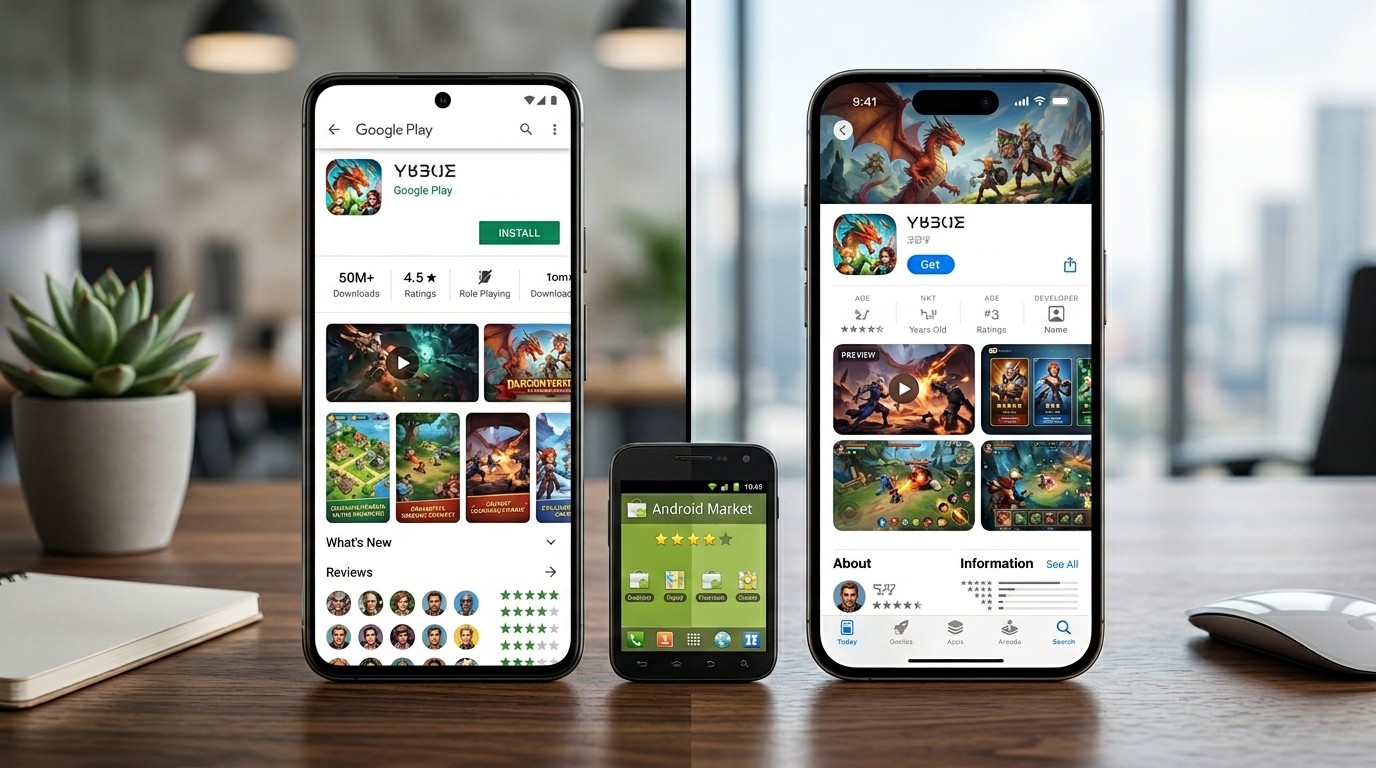
Store-page presentation is one of the most overlooked parts of Android Market vs App Store. Apple’s search guidance says to monitor impressions, conversion rate, downloads, and source type, which means metadata and product-page clarity directly affect what users do next. Google Play also links developers to product pages, search results, and collections, so visual and textual presentation shape how people move through the store.
Good store pages reduce friction. In Android Market vs App Store, that usually means a clean icon, clear screenshots, an honest description, and a message that matches the actual app experience. When the promise on the page matches the experience in the app, conversion tends to feel more natural because users are less likely to bounce after install. That is why store-page work belongs in product strategy, not only in design.
Ratings, reviews, and trust
Trust is a major differentiator in Android Market vs App Store because users often compare ratings, reviews, and response quality before installing. Apple provides tools for managing ratings and reviews in App Store Connect, and Google Play Console lets developers view and analyze ratings, individual reviews, and clustered review data. That means both ecosystems treat review management as part of app health, not just support.
For teams doing Android Market vs App Store, review trends are often more useful than the average star score alone. A pattern of complaints about onboarding, crashes, payments, or difficulty can reveal exactly where the product is creating friction. If the store page and the actual experience diverge too much, trust erodes quickly and conversion usually suffers.
Ecosystem, devices, and user behavior
Device context matters because Android Market vs App Store is not just about stores; it is also about ecosystems. Google Play is tied to Android’s broad device environment, while Apple’s App Store operates inside Apple’s own hardware and software stack. That difference affects testing, interface expectations, and how users experience updates across phones and tablets.
In practice, Android Market vs App Store can mean designing slightly different assumptions for audience behavior. Android users may show more device variation, while Apple’s ecosystem tends to be more tightly controlled in distribution and review. That is one reason cross-platform teams pay attention to device spread, update behavior, and how quickly users respond to new versions.
Privacy, safety, and permissions
Safety and privacy now influence Android Market vs App Store more than many teams expect. Apple says the App Store is built around a review process intended to provide a safe and trusted experience, and Google Play’s data safety and app metadata systems help users understand what data an app collects or shares. That means store strategy increasingly includes trust signals, not just feature lists.
For developers, Android Market vs App Store should include a privacy-readiness check before launch. If a listing is unclear about data use, or if review materials are incomplete, users may hesitate even when the app itself is strong. Clear disclosure helps reduce friction because users are more willing to install when the store experience feels honest and understandable.
Strategy for developers and marketers
The best teams use Android Market vs App Store to assign roles, not just to compare stores. One platform may be better for early testing, another may be stronger for conversion, and another may support better financial reporting or deeper review workflows. The point is not to declare a universal winner; the point is to understand which system aligns with the next business move.
That approach matters in App Store and Google Play work because each side exposes different kinds of feedback. When the team understands which signals are most trustworthy in each environment, it can prioritize the right changes faster and avoid overreacting to one metric. Good strategy always follows the data structure, not just the headline number.
How research teams should read the data
If your workflow includes Game Market Research App, then Android Market vs App Store should be treated as an input to a larger market model. App store signals rarely explain the whole story by themselves, so teams often combine storefront analytics with category tracking, competitor review mining, and release timing. That broader view makes the research more useful because it connects store data with actual market movement.
A strong research process uses Android Market vs App Store to answer a limited number of questions: where is the app discovered, what causes conversion, what creates churn, and what changes after a release. This is where the research becomes actionable rather than descriptive. The best dashboards are the ones that help teams choose a next step instead of just admire the numbers.
Future-facing infrastructure and faster decisions

For teams building analytics or recommendation layers around Android Market vs App Store, the architecture sometimes starts to resemble ideas from Telecom Edge Computing and Smart Edge Computing. The reason is simple: when latency, routing, and local context matter, distributing analysis closer to the user can make decisions feel faster and more relevant. That does not replace the store, but it does influence how quickly teams can react to trends.
In a practical sense, Android Market vs App Store is gradually moving toward shorter feedback loops. Both Apple and Google keep adding better analytics, better review tools, and more granular reporting, which means teams no longer have to wait as long to understand what is happening. That trend rewards organizations that can interpret data quickly and adjust without overcomplicating their process.
Choosing the right platform for the job
A good decision about Android Market vs App Store starts with the actual goal. If the goal is store-search visibility and Apple-specific analytics, the Apple ecosystem may deserve more attention; if the goal is large-scale Android distribution, Play Console’s reach and benchmarking may be the better fit. Google says Play reaches more than 2.5 billion monthly users across 190+ markets, which is a major reason many teams prioritize Android distribution at scale.
The safest choice is the one that matches your audience, your release process, and your reporting needs. Some teams need Apple’s review and analytics structure, others need Google Play’s testing tracks and benchmarking, and many need both. That is why the best answer is usually not either-or, but a deliberate plan for how each platform will serve the product differently.
Conclusion
Android Market vs App Store is best understood as a strategy question, not a naming debate. Apple App Store and Google Play each reward a slightly different mix of discovery, review readiness, metadata quality, trust signals, and analytics discipline. When teams match those differences to the product’s audience and growth goals, they make better launch decisions and waste less time arguing about assumptions. In that sense, Android Market vs App Store is really about choosing the operating logic that fits your audience, then measuring it honestly and improving it with discipline over time. The strongest teams treat the store as part of the product, not just a place to upload a file. That mindset keeps the work practical, repeatable, and easier to scale across releases, regions, and changing user expectations across teams, channels, and release cycles. It also makes internal discussions easier because everyone is measuring the same journey, not separate guesses.
Frequently Asked Questions (FAQ)
1. Is Android Market vs App Store still a useful comparison?
Yes. In modern usage, it is a shorthand comparison between Google Play on Android and the Apple App Store, which are the main distribution environments developers still optimize around, especially when launch timing and storefront visibility matter.
2. Which platform is better for discovery?
It depends on the audience and the metadata strategy. Apple emphasizes search performance and conversion metrics, while Google Play offers broad reach, linking formats, and benchmarking tools. The answer changes when the target market, region, and category change, so the best store is often the one that matches that specific use case, the audience, and the release plan.
3. Which store has the stricter review flow?
Apple’s App Store review process is highly structured and applies to apps, updates, bundles, in-app purchases, and in-app events; Google Play also has policy and content review requirements before release. The practical difference is how each team plans the timeline, the review buffer, the final QA checklist, and the launch date.
4. Which platform gives better analytics?
Both provide strong analytics, but they emphasize slightly different views. Apple bundles acquisition, engagement, monetization, retention, and quality in App Store Connect, while Google Play Console offers statistics, peer groups, and custom dimensions. The best choice is usually the one that matches the question you need to answer next and the way your team reports results across product, growth, and leadership.
5. Do reviews matter more than ratings?
Yes, because review text often explains the reason behind the rating. Clustered review views and review response tools help teams spot repeated friction instead of focusing only on the star average. Over time, those patterns can shape both product fixes and store-page wording, which is why review management belongs in growth work and not only in support.
6. What should a developer test before launch?
A developer should test review readiness, metadata clarity, analytics setup, country availability, and release tracks before a broader rollout. Google Play and App Store Connect both make those checks important, and they become even more important when the launch window is tight or when the team is coordinating multiple markets, regions, or staged rollouts.
7. Why does privacy affect store performance?
Because users are more willing to install when data use and safety practices are visible and understandable. Google Play’s data safety and metadata systems and Apple’s review process both make trust part of the store experience. That trust can affect whether a visitor becomes an installer, especially when the app asks for sensitive permissions, payments, or account access.
8. How does this relate to market research?
It helps teams decide where to focus effort, which metrics matter, and how to compare performance across ecosystems. That is why store analytics are often a core part of market research, especially when teams need a clearer read on acquisition and conversion, not just on traffic volume because traffic alone does not prove product-market fit.
9. What kind of app teams need this most?
Game teams, growth marketers, and product managers tend to need it most because they work in fast-changing categories where ratings, monetization, and conversion can shift quickly. That is also why a game-focused analytics workflow is useful when competitive moves happen fast, new content drops often, and audience behavior shifts quickly.
10. What is the smartest next step?
Use one platform’s analytics to understand the user journey, use the other to compare outcomes, and then build a release plan that reflects your real audience rather than a generic best practice. In a mature workflow, the comparison becomes a repeatable decision tool instead of a one-time comparison, which makes launch planning and product reviews easier to align.